Where it came from
I've been into roguelites for a long time — Rogue, Caves of Qud, Dungeons of Dredmor. Part of what draws me to that genre is how much emerges from small, composable systems. I started reading RogueBasin in undergrad and kept coming back to a certain type of article: the ones about tiny algorithms with outsized results. Boids is the obvious example. Cellular automata cave generation is another. A handful of rules, applied repeatedly, and you get something that looks organic and complex.
The grapheme generator came from that same impulse. I was interested in procedural generation generally and stumbled onto the idea that if you treat a character glyph as a bitmap grid, you can run cellular automata on it and get symbol shapes that look like they belong to a real writing system — alien, consistent enough to feel like a language, but completely invented. The other thing I find interesting is the pipeline itself: I didn't write a bitmap library, a vectorizer, or a font compiler. Those tools all exist. The idea was just to chain them together in a way nobody had specifically done before. There's something satisfying about that kind of work — leveraging what's already there and finding where the seams fit.
The font used in the scrolling banner at the top of this site is one that came out of this generator.
The pipeline
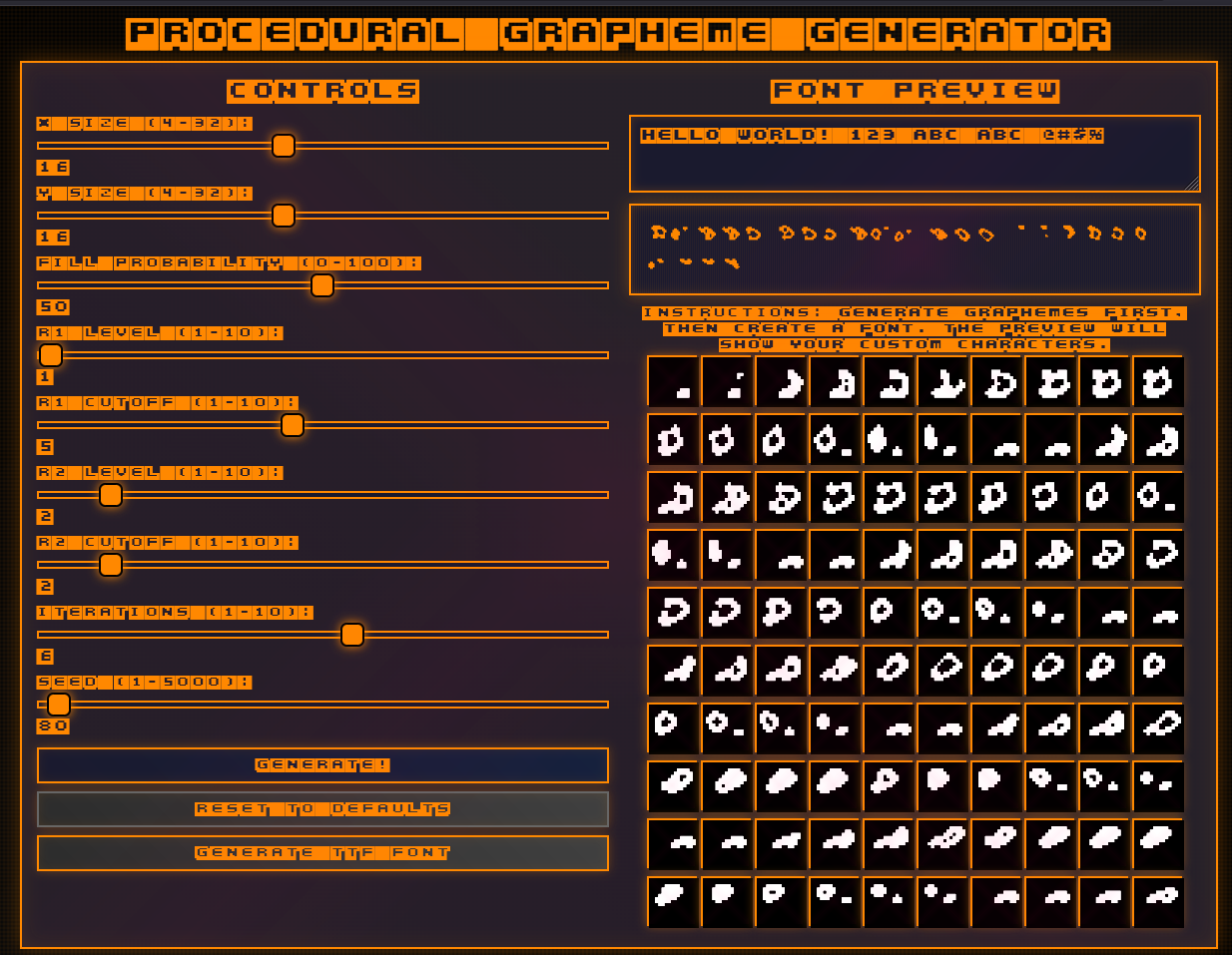
Each run generates 100 symbols. The process per symbol is:
- Initialize a 2D boolean grid with random fill at a given probability
- Apply cellular automata evolution rules for N iterations — each cell lives or dies based on neighbor counts, controlled by two thresholds (
r1_cutoff,r2_cutoff) - Write the result to a BMP via EasyBMP
- Convert the BMP to SVG with Potrace (bitmap → vector)
- Feed all 100 SVGs into FontForge via a Python script to compile a TTF
ProceduralGraphemeGenerator/
├── src/
│   ├── proceduralGraphemeGenerator.cpp
│   ├── generator.cpp / generator.h    # Cellular automata engine
│   ├── grapheme.cpp / grapheme.h      # Bitmap matrix
│   └── base.cpp / base.h
├── lib/
│   └── EasyBMP.cpp
├── output/                            # BMPs, SVGs, and final TTF land here
├── fontScript.py                      # FontForge compilation script
└── makefile
The cellular automata step is where most of the interesting variation comes from. The two cutoff parameters control the birth and survival rules — small changes produce very different character aesthetics, from sparse geometric shapes to dense blob-like forms. Iteration count handles how "settled" the pattern looks; more iterations smooth things out, fewer leave the shapes rougher.
| Parameter | Range | Description |
|---|---|---|
size_x, size_y |
8–128 | Bitmap grid dimensions |
fill_prob |
0–100 | Initial fill probability (%) |
r1_cutoff |
1–10 | First evolution rule threshold |
r2_cutoff |
1–10 | Second evolution rule threshold |
iterations |
1–10 | Number of evolution steps |
Dependencies you'll need beyond the included EasyBMP:
apt-get install potrace— bitmap to vectorapt-get install fontforge— TTF compilation
Usage
# Build
make all

# Run — 32x32 grid, 50% fill, evolution rules 3/5, 5 iterations
./pgg 32 32 50 3 5 5
Output lands in output/: 100 BMP files, 100 SVG files, and one foobar.ttf with all 100 glyphs mapped to ASCII characters.
Web interface
There's a browser-based version where you can tweak parameters and preview the generated symbols.